
Find any listing in seconds
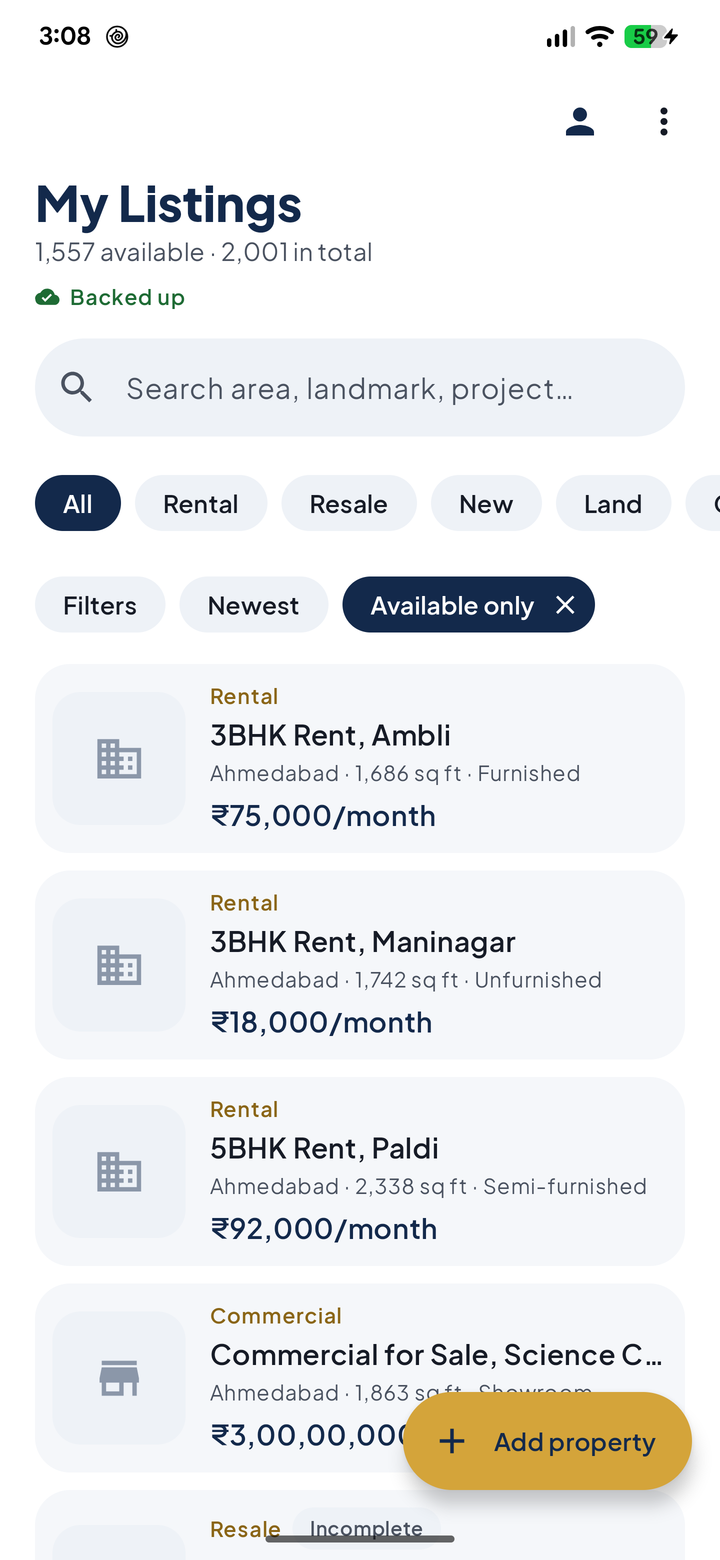
Search by area, landmark, project or owner, then narrow by price, BHK, furnishing and size. "2 bhk satellite under 30k" is two taps away.
BrokerDesk replaces notebooks, WhatsApp chats and Excel sheets. Keep every rental, resale flat, new project, plot and shop in one place, find the right one while the customer is still on the phone, and send it on WhatsApp with photos and a brochure.
14 days free, then ₹1,000 a month for your agency.
Built for brokers
Made for the way Indian brokers work: on the phone, on WhatsApp, often without a good signal.
Search by area, landmark, project or owner, then narrow by price, BHK, furnishing and size. "2 bhk satellite under 30k" is two taps away.
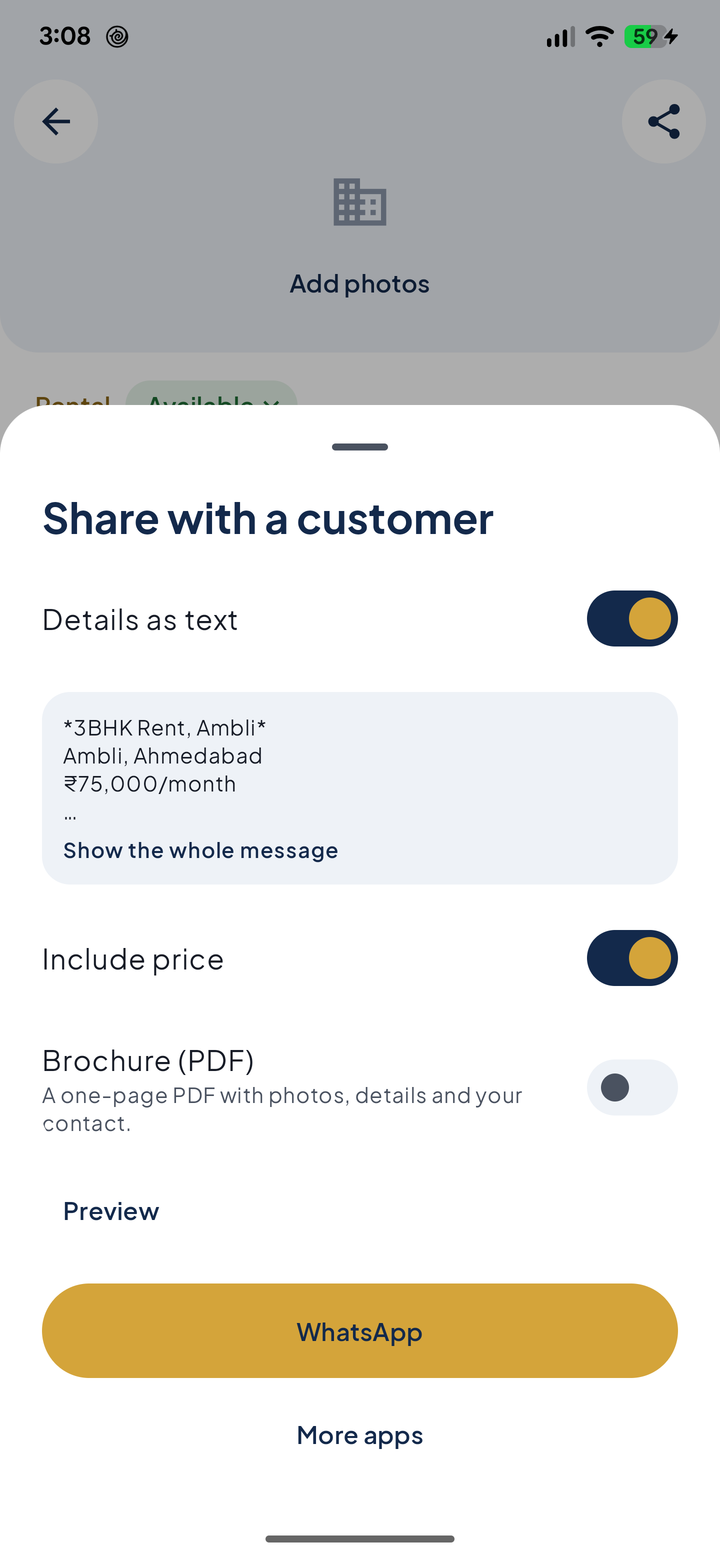
Send a listing as neat text with photos, or as a one-page PDF brochure with your name, agency and number on it. Builder brochures and floor plans go in one tap.
Add and search listings without a signal; they back up on their own when you're online. Change phones and everything comes back when you log in.
Your staff member logs in with their own number and works on the same inventory. You decide whether they can see owner contacts and commission.
Rentals, resale, new projects with their configurations, land and plots, shops and offices, each with the details customers actually ask about.
Export every listing to Excel whenever you like. Delete your account and your data goes with it.
Privacy first
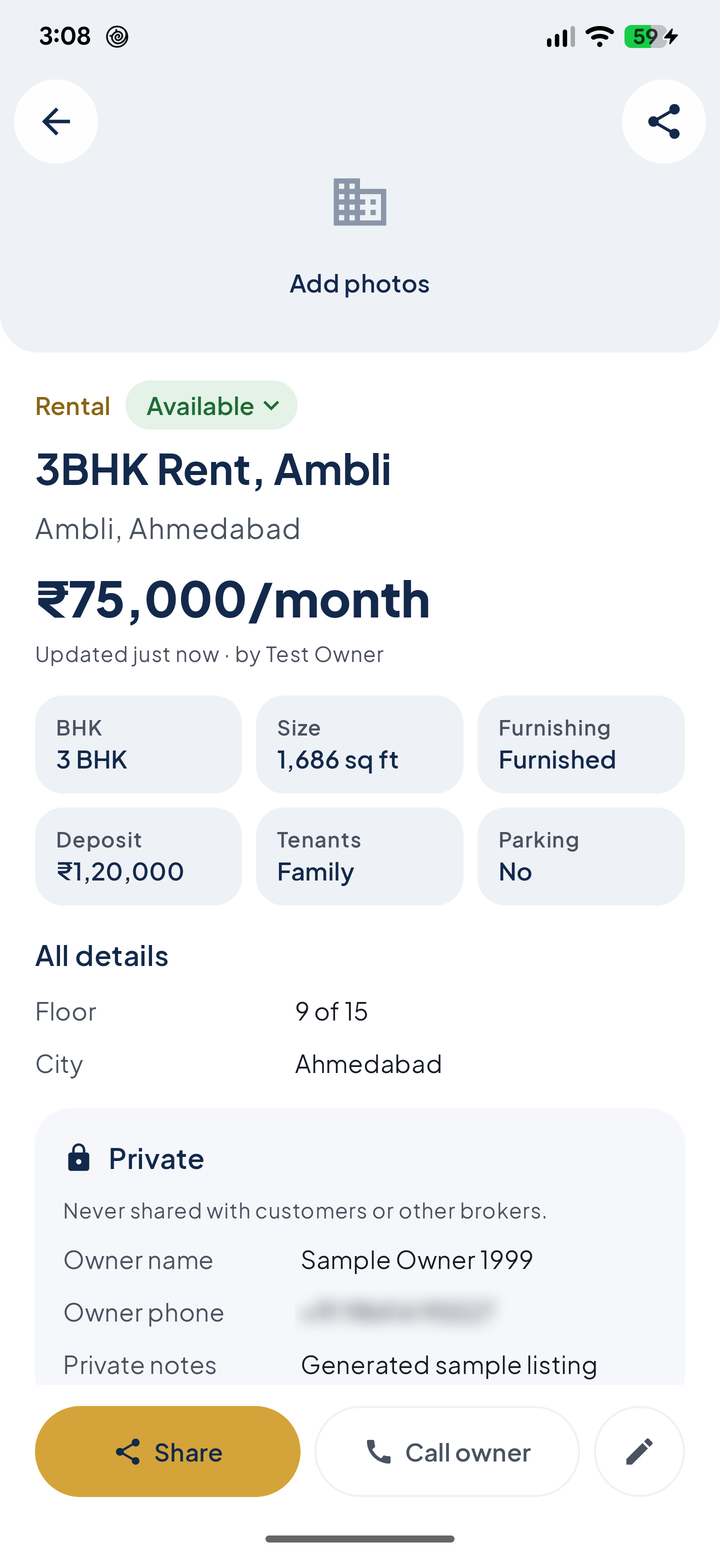
A broker's value is their contacts. BrokerDesk is built so that nothing you share lets anyone go around you to the owner.
A look inside
Navy and gold, big readable prices in lakh and crore, and the actions you use most within thumb's reach.
Pricing
Try everything free for 14 days with your real listings. Then one subscription covers you and one staff member.
Questions
Your listings are stored on your phone first and backed up to servers in Mumbai over encrypted connections. Only you and your staff member can read your agency's data, and private details are protected separately. Read the privacy policy for the full picture.
Only if you switch it on in Settings. By default staff see everything except owner name and phone, exact address, commission and private notes. They can still add those details to a listing, but never change or remove what's already there.
You choose whether to subscribe. If you don't, your listings are kept safe for at least 90 days and you can still view and search them; you just can't add, edit or share until you subscribe.
Yes. Adding, editing, searching and sharing all work offline. Changes back up as soon as you're online again.
Yes. The owner can export every listing to one Excel file at any time, from Settings.
In the app: Settings, then Delete account. Without the app, see how to request deletion.